.png)
-p-500.png)
-p-500.png)


.png)


.png)
.png)
.png)

Each QR code is uniquely mapped to a table. Guests scan with their phone camera and your menu opens instantly.

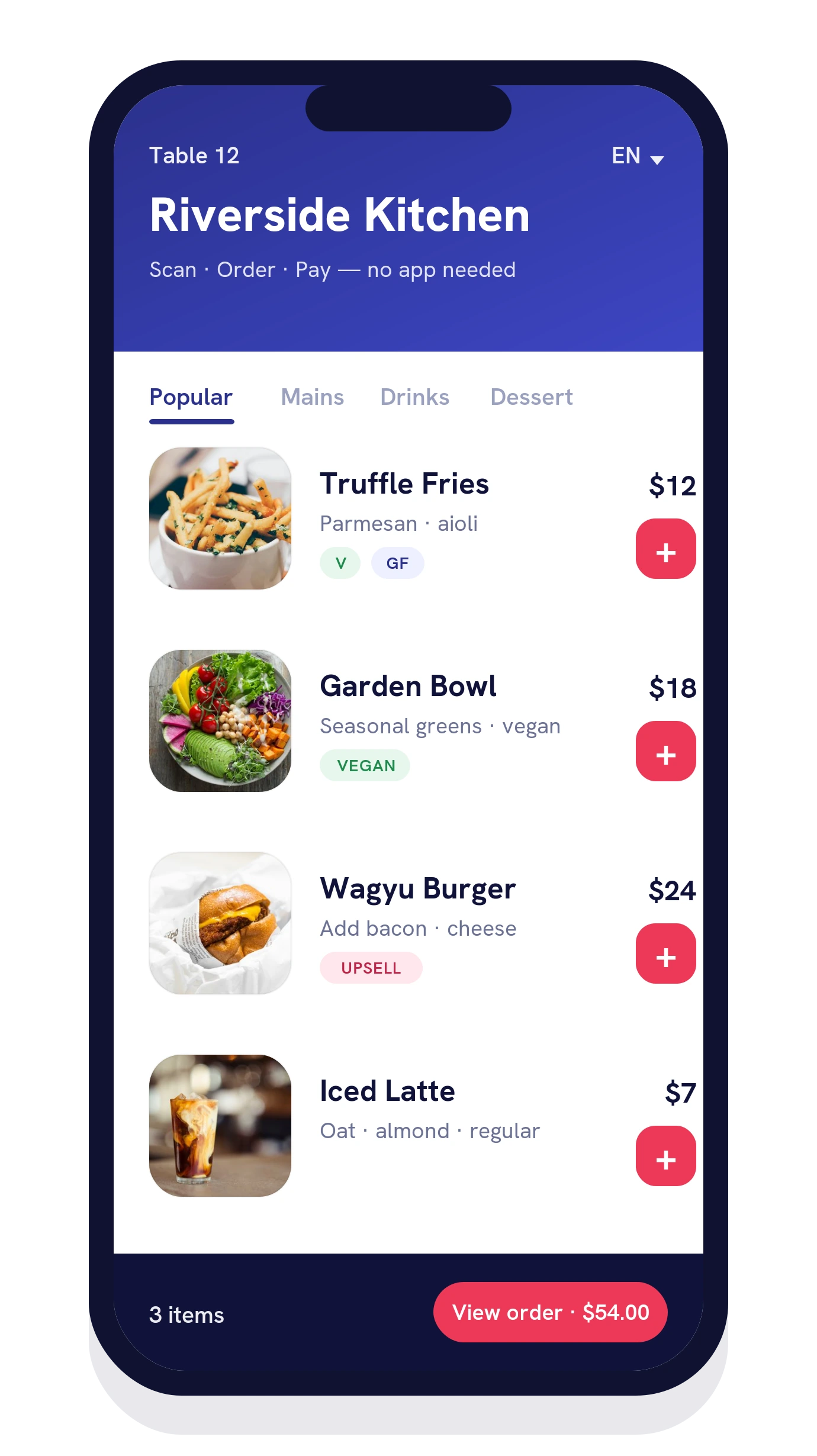
A QR code menu with photos, dietary tags and modifiers. Smart upsells lift the average order while guests order at their own pace.

Checkout with Apple Pay, Google Pay or card via Windcave or Stripe — or send to the table tab. No waiting for the bill.

The order lands in your Tabin POS and on the KDS with the table number — so your team can fire, prep and run it straight away.
Everything your table ordering needs to speed up service, lift spend and keep the kitchen in sync — all from one platform.

Guests order and pay in one flow with Apple Pay, Google Pay and cards via Windcave or Stripe — clearing tables faster.
Suggest sides, upgrades and pairings at the right moment to lift average order value on every check, automatically.

Modifiers, combos and free-text notes capture every "no onions" and "extra hot" exactly as the guest wants it.

Clear vegetarian, vegan, gluten-free and allergen tags help guests choose confidently and reduce questions for staff.

Appetising photography on every item turns your QR code menu into a visual menu that drives bigger, faster decisions.
Guests view your menu in their preferred language, making your venue welcoming to locals and visitors alike.

Everything runs in the phone's browser the instant a guest scans the QR code for the menu — nothing to install or sign up for.

Orders flow into your Tabin POS and Kitchen Display System in real time, tagged with the table number — no double handling.

Update an item or price once and it changes everywhere instantly. Every table has its own QR code, so orders never get mixed up.
One Menu. One Dashboard. One Support Team.
QR code ordering lets guests scan a QR code at their table to open your menu on their own phone, then order and pay without waiting for a server. With Tabin, every order goes straight to your POS and kitchen, so staff spend less time taking orders and more time looking after guests.
No. Tabin QR code menus open in the phone's web browser the moment a guest scans the code. There's nothing to download, sign up for or install — they simply scan the QR code for the menu and start ordering.
Yes. Tabin supports full order-and-pay at the table, including Apple Pay, Google Pay and card payments via Windcave or Stripe. Guests can also add notes and customise items before they check out.
Every order placed through a QR code menu flows straight into your Tabin POS and onto your Kitchen Display System (KDS). Your menu and prices stay in sync automatically, and each QR code is uniquely mapped to a table so orders arrive with the right table number.
Yes. Tabin QR code ordering suits everything from cafés and quick-service venues to full-service restaurants and bars. Menus support photos, dietary and allergen labels, and multiple languages, so it fits the way your venue serves.
It is. QR code ordering is one part of the Tabin platform — a complete restaurant ordering system that also covers self-service kiosks, online ordering for pickup and delivery, loyalty, CRM and KDS, all managed in one place.
Yes. Tabin is built and supported in New Zealand and serves hospitality venues across New Zealand and Australia, with local support and a single connected system covering kiosk, POS, EFTPOS, online ordering, QR ordering and KDS.